| Support Category: SSO |
| Specialist Notes: |
DOC NTIA now utilizes SSO as well to access the CLC.
Users are required to register with the OKTA SSO system to be able to log into the CLC using OKTA SSO. Users were sent several emails from the OKTA Team requesting that they register with the OKTA system. It is known that a significant percentage of DOC users did not register and may see the following error message when attempting to sign in via their PIV/CAC card.
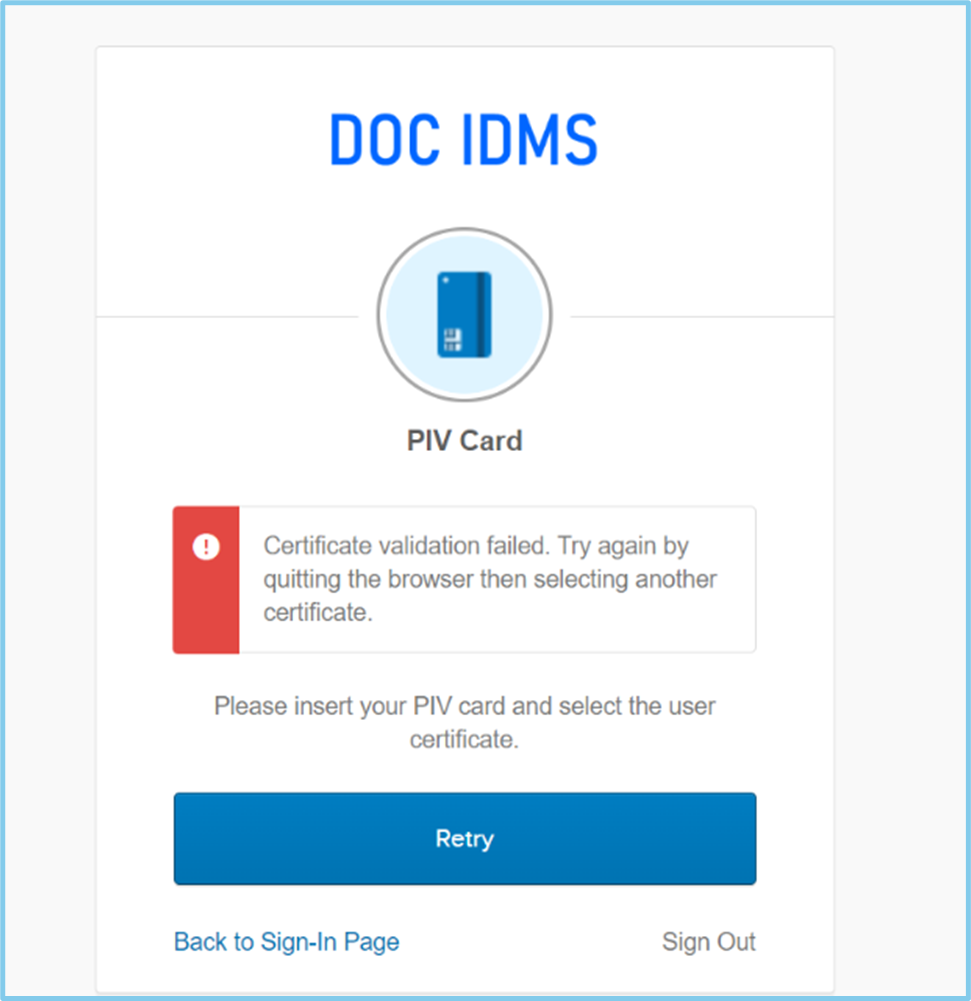
Also, some users may lock their OKTA account by too many login attempts using Username/Password.
Please use the following document to troubleshoot and assist users.
IMPORTANT! ONLY if a user has previously contacted us via chat or tickets after being directed to their respective IT Service/HelpDesk, but has been redirected back to us, please escalate to the appropriate DOC administrator. With DOC NTIA, are we permitted to reset user’s password should logging in via SSO not work. Please use the I Need My Password Reset SR to process a password reset. This is for users ONLY. Not ‘ADM_’ or ‘ADML_’ accounts. |
If a user does not have their bureau specific IT Service/HelpDesk contact information and they ask for it, please provide the following email for DOC NTIA:
ntiahelpdesk@ntia.doc.gov
| Standard Response: |
